
Raspi5:BVM コマンドのおさらいとRaspi5 shudown スクリプト
目次
Botspot Virtual Machine利用の楽曲取得
Raspberry pi 5を利用してBVM経由の【Music Center for PC】によりCD楽曲取得をCD入手毎に行っている。やや面倒ではあるが、日本語の文字化けもなくx64 PC物理機を稼働させる必要もない。
小生のx64 Legarcy PCは稼働時間が長くなるほど部屋の温度を上昇させる。Windows11であろうとUbuntu 26.04LTSであろうと、電源が入ればPCは温風機となる。Raspi5が熱を排出しないわけではないけれど、長時間の惰性運用さえしなければ部屋の室温を上げる要素にはならない。
楽曲取得以外のBVM利用の目的は、はWindowsのUpgrade環境のテストが副次的なテーマである。現況のDesktop環境でx64物理機を稼働するメリットはなくなっている。
仮想Windows11 25H2 build 26200.8894 【Music Center for PC】版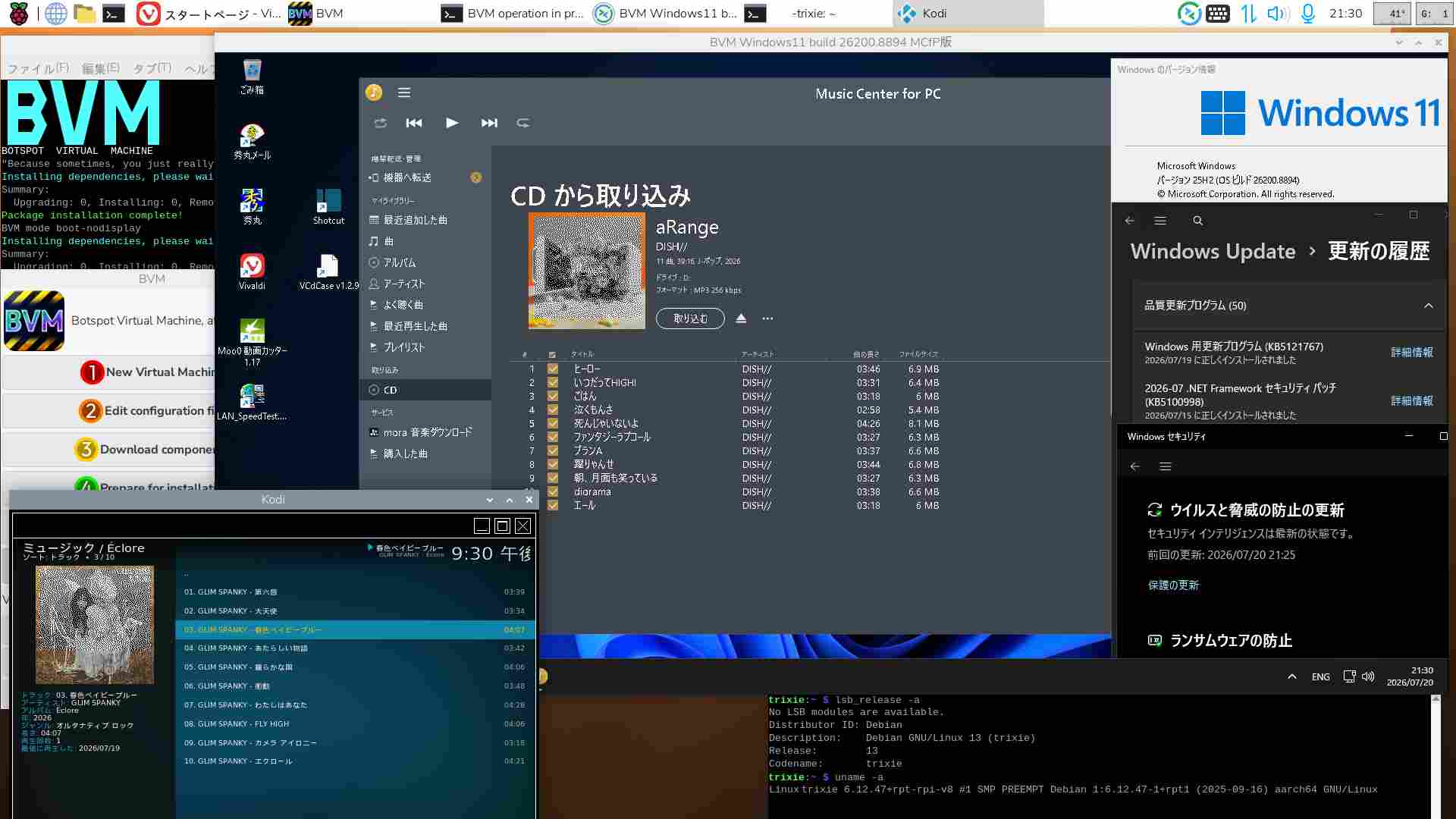
逆に言うと、【Music Center for PC】の楽曲取得が一番便利に映る。
Botspot Virtual Machineのコマンド
BVMの起動はGUI利用(Remmina)がメインであるため、普段はマウス操作がベースである。コマンド操作は普段は行わないが、一部スクリプト操作を行いがためにコマンド操作を押さえておきたい・・・整理した。
# 既定標準コマンド
trixie:~ $ bvm help

BOTSPOT VIRTUAL MACHINE
"They said Windows on ARM was a bad idea. And I took that personally."
Installing dependencies, please wait...
Summary:
 Upgrading: 0, Installing: 0, Removing: 0, Not Upgrading: 157
Package installation complete!
BVM mode help
BVM HELP: --------------------------------------------------------------------
All primary modes: new-vm, download, prepare, firstboot, boot, connect, mount, expand
You generally want to run the modes in that order.
Additional modes: help, list-languages, boot-nodisplay, boot-ramfb, boot-gtk, connect-freerdp, connect-remmina


# To get a fresh VM up and running, use a sequence like this:
~/.local/bin/bvm new-vm ~/win11
# This makes a config file: ~/win11/bvm-config <--- Please read it!~/.local/bin/bvm download ~/win11
This downloads Windows and necessary drivers.
~/.local/bin/bvm prepare ~/win11
This bundles everything up to get ready for first boot.
~/.local/bin/bvm firstboot ~/win11
If the Windows install is interrupted, just run this step again.
Be aware: when Windows finishes installing, the VM will shutdown.
All .iso files and the unattended folder could be removed once this step is done.
~/.local/bin/bvm boot ~/win11
Main command to use the VM.
This works, but is a little laggy and lacks crucial features.
It is recommended to boot the VM headless and then connect to it via RDP:
~/.local/bin/bvm boot-nodisplay ~/win11
Then in a second shell, connect to the RDP service:
~/.local/bin/bvm connect ~/win11
The connect mode has better audio, clipboard sync, file sharing, dynamic screen resizing, and a higher frame rate.
Mount the Windows main hard drive with:
~/.local/bin/bvm mount ~/win11
Be aware: the VM needs to be shut down properly to mount in read/write mode.
Expand the main Windows hard drive with:
~/.local/bin/bvm expand ~/win11 BVM環境内で特別なスクリプトを一括動作させる必要がなければ、利用するコマンドではない。GUI操作で小生は足りる。
スポンサーサイト
amazon タイムセール amazon Raspberry pi 5 m.2 hat amazon 大谷翔平
ちなみに、
BVM GUI Menu No.6【Run Windows11】の操作は、
「~/.local/bin/bvm boot-nodisplay ~/win11」+「~/.local/bin/bvm connect ~/win11 」を動作させているコマンドであり、端末上は【BVM mode boot-nodisplay】と【BVM mode connect-remmina】*の表示がされている。
*「~/.local/bin/bvm connect-remmina ~/win11」というコマンド オプションはない。
BVMの終了に伴うRaspberry pi 5のシャットダウンスクリプト
【BVMのWindows11が作業終了した段階で、本体のRaspi5をシャットダウンさせたい】という欲求がある。
BVMのコマンド操作より当面こちらの方が重宝する。仮想Windows11に何かしら作業をさせておいて、Windowsの終了とともにRaspi5本体の電源も落とす。
【bvm_Raspi5_shutdown.sh】
#!/bin/bash

# --- 設定エリア ---
#VM_NAME="win11" # Botspot BVMに登録している仮想マシンの名前:(現在)未設定
# ------------------

echo "==================================================="
echo " [Raspi 5] 夜間作業後シャットダウンスクリプト"
echo "==================================================="

# 1. Windowsの終了監視
echo "[Trixie] 1. Windowsの処理完了(シャットダウン)を待機しています..."
echo " ※10秒ごとに確認中。Ctrl+C で中止できます。"

while true; do
 # QEMU(仮想マシン)がまだ動いているか確認
 if ! pgrep -f "qemu-system" > /dev/null; then
 echo ""
 echo "[Trixie] ➔ BVMの終了を検知しました!"
 break
 fi
 # 画面にドットを表示して進行中であることを示す
 echo -n "."
 sleep 10
done


# 2. Raspi5 本体シャットダウン
echo "[Trixie] 2. 作業完了 60秒後に Raspberry Pi 5 をシャットダウンします..."
# 60秒後に電源断
sudo shutdown -h +1
小生でも分かるスクリプトを設置する。
BVM 新規クリーンインストール後にRaspi5をshutdown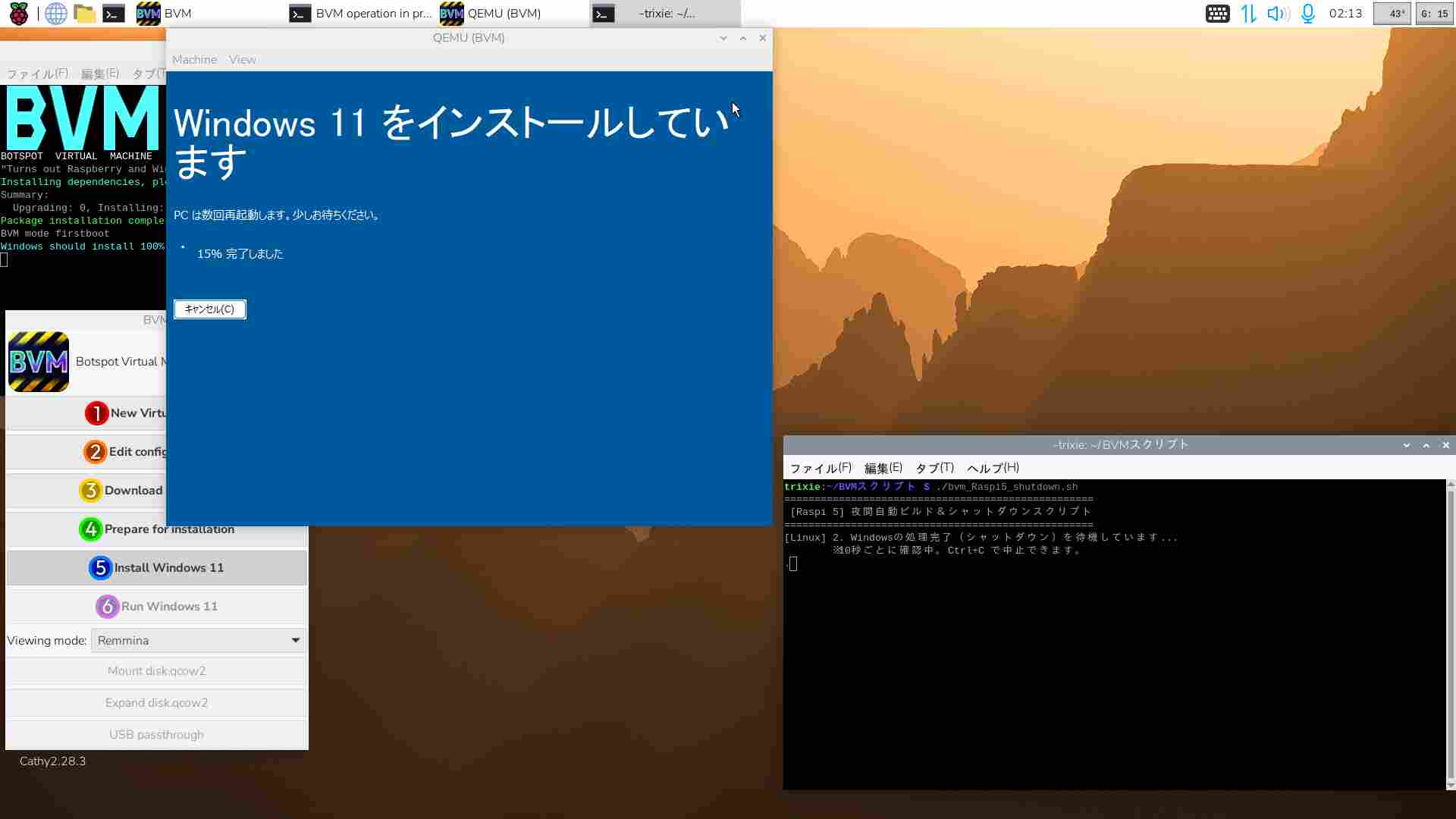
# 任意のフォルダにある【bvm_Raspi5_shutdown.sh】に実行権限を与える
trixie:~/BVMスクリプト $ chmod +x bvm_Raspi5_shutdown.sh
# スクリプトの実行

trixie:~/BVMスクリプト $ ./bvm_Raspi5_shutdown.sh
用途としては仮想Windowsにて、【シャットダウン設定を付随したファイルダウンロード*】や【Canary版Windows11の新規クリーンインストール**】等である。
*MS Defenderでファイルをチェックできるため
**BVMスクリプトNo.5【Install Windows11】では必ず初回インストール終了後に1度シャットダウンする
仮想Windows11 Dev 26H2 26300.8935Full機能Defender版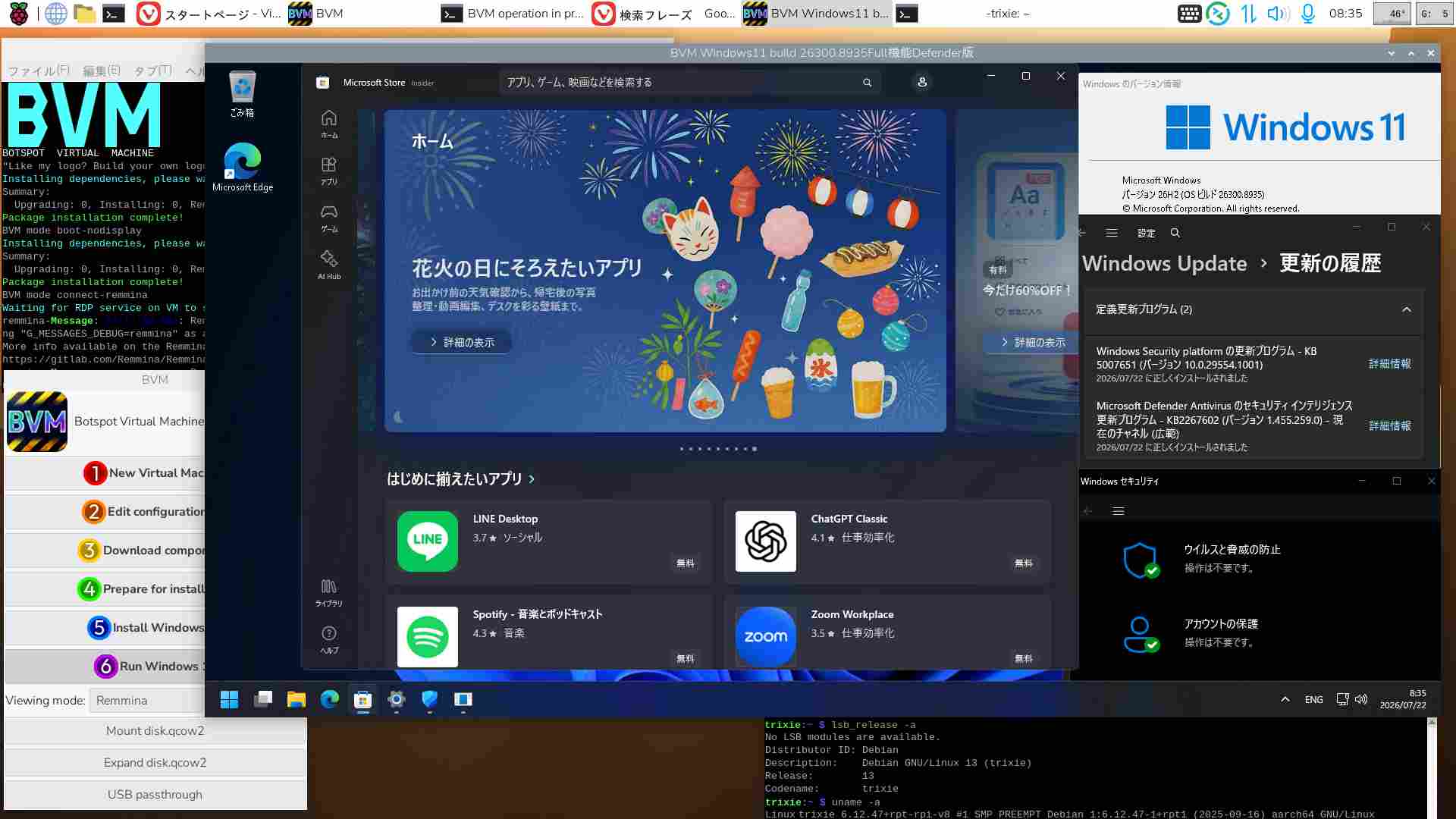
少なくともBVM版仮想Windows11のクリーンインストールは夜間作業で十分である。インストール後に行うDefender機能の復活、OneDrive等の削除、Vivaldiの新規インストール、パフォーマンス設定やパスワードの変更・恒久化などもスクリプトで加えられればさらなる省略化ができる。それを目指す・・・
関連過去Log:Raspberry Pi 5 Software関連
Raspi5版Ubuntu26.04LTS kernel Update
Raspi5+BVM MS Defender機能の復活を目論む
Ubuntu 26.04 LTS リリース7days later
リリースされたUbuntu 26.04 LTSとRaspi5
Raspi5+Wine+Sony【Music Center for PC】2.7.3なら
Raspi5+BVMでSony【Music Center for PC】2.7.3を使う
Pi OS Trixie+Wine環境 SATA HDD カタログ化ソフト Cathy2.28.3
Pi OS Trixie :Wine(x64)を11.4へ Update
Pi OS Trixie Wine Desktop アイコン作成
Trixie Desktop Apps【Botspot Screen Recorder】を使う
Raspi5-PT3機はTrixie OSでの運用へ
Raspberry Pi OS Trixie と Desktop Software
BVM on Trixie:Windows11 install自動応答ファイルの作成
Raspberry Pi OS Trixie と PT3
Raspberry Pi OS Trixie と Kodi21
Raspberry Pi OS Trixie と BVM
更新ばやり BVM Windows11 25H2 build 26200.6584
BVM Windows11 25H2 build 26200.5074だよっ
Windows11 Canary版 build 27934.1: VMとBVM
BVM Windows11 Canary版 build 27919.1000
Raspberry pi 5 :CDリッピング 暫定2025版
Raspberry pi 5:aptコマンドで指定パッケージのみアップグレード
Raspberry pi 5 でのCDリッピング事情2025 途上中
BVM版Win11ではDefenderが動作しない?
Docker-compose pull: Mirakurun【3.9.0-rc.4】の固定
BVM Arm版Windows11の立ち位置
Raspi5-PT3機 Kernelのpagesizeに纏わる設定
Raspi5-PT3機 Mirakurun(3.9.0-rc.4) の補正 BS03_1,BS15_2 対策
Raspberry pi 5でもMoo0 動画カッター 1.17を利用する
Raspi5-NVMe Kodiのキーボード・ショートカットを覚える
Raspi5-PT3 Kodiでもリアルタイム視聴
Raspberry pi 5 : Window Maneger 【labwc】への切替
Bookworm RaspberryPi5: CTRLキーとCaps Lockの入替
Raspberry Pi 5:Doom3で遊ぶ
Raspi5にClamtk 6.18をインストール
Raspi5にapp store Pi-Apps を入れる
Raspi5-PT3機のシステムバックアップ
Raspi5-PT3 VLCプレーヤーでのリアルタイム視聴
Dual PT3の実例 PT3は後何年使用できるのか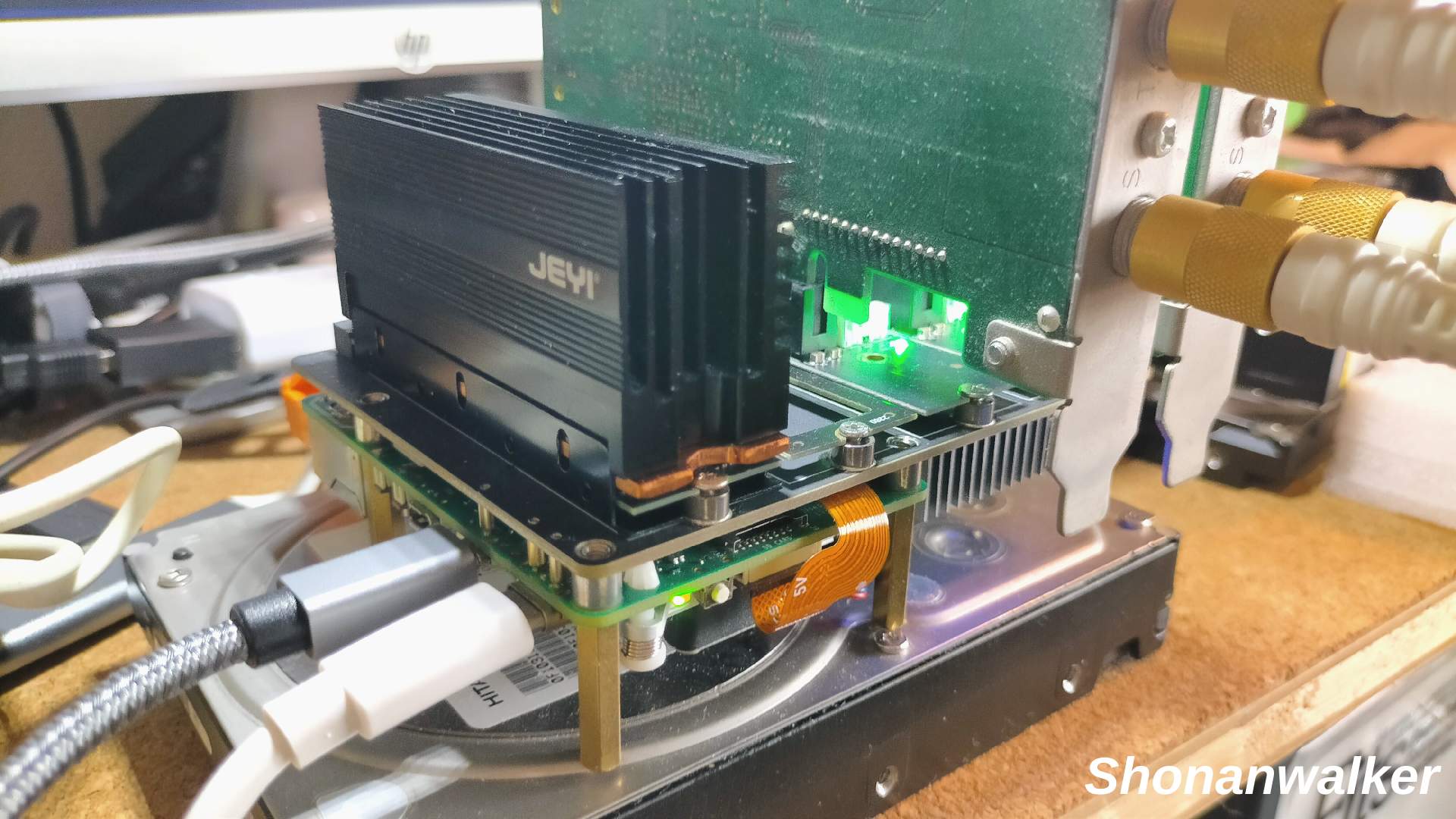
関連過去Log:Raspberry Pi 5 Hard関連
aarch64版Ubuntu 26.04 LTSでは自分でPT3ドライバーを入れる必要がある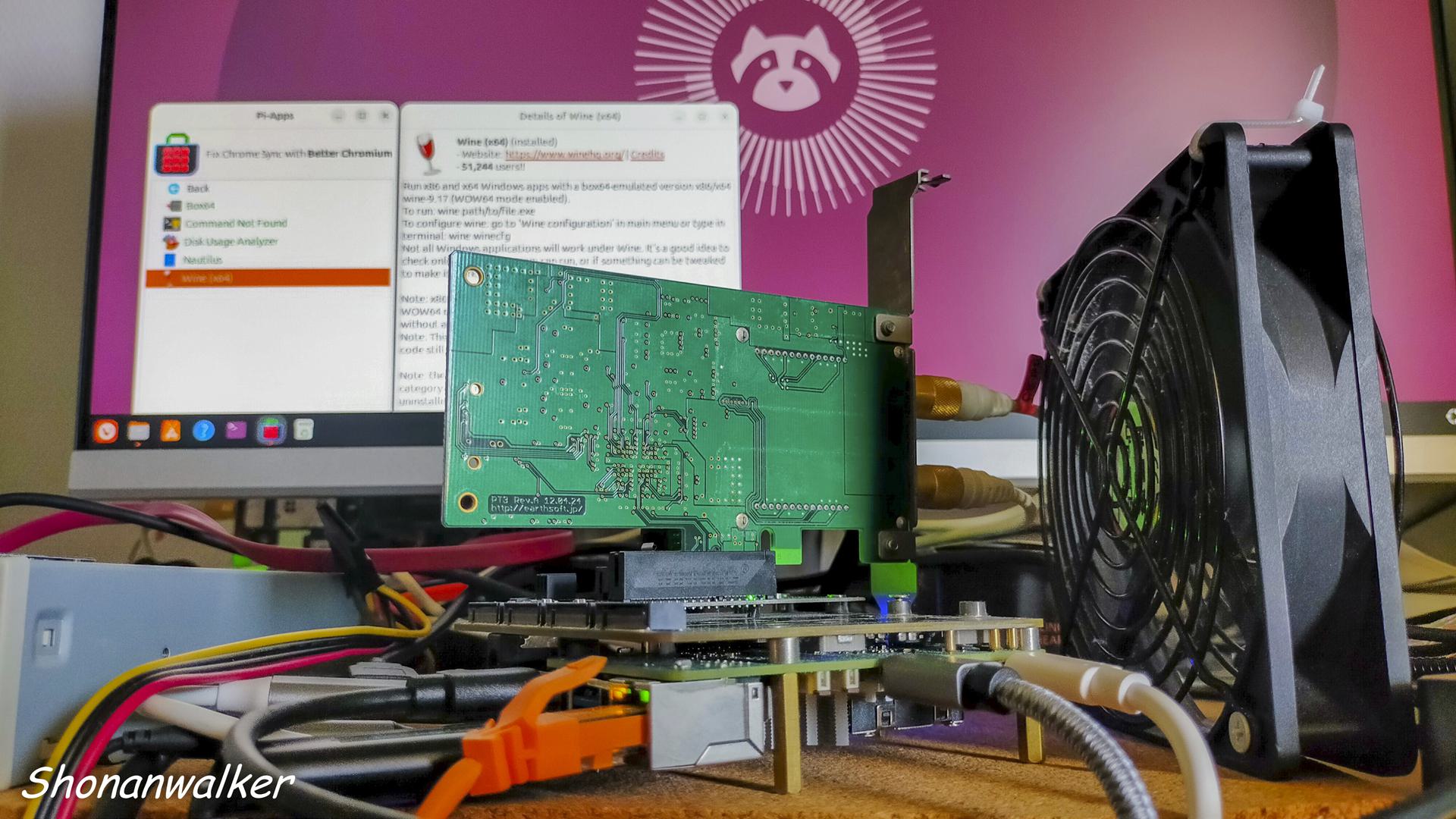
***************************************************************
Raspi5 OS Trixie:lvm2物理ボリュームのマウント方法
Raspberry Pi OS Trixie と Scanner Canon TS5430
Raspberry Pi OS Trixie と プリンター Canon TS5430
CM5 IO board :【X1505 V1.0】 SupTronicsから8SSD slot仕様
今更ながらRaspberry pi 5 Hat Mps2280は低発熱が魅力
Raspberry pi 5:PT3 2枚刺し on 【X1016 V1.0】
Raspberry pi 5:PT3 動作可能なChip別Hat 3種
Raspberry pi 5: X1016 V1.0とPT3
Raspberry pi 5 + X1016 V1.0でどうなる
ASM2806を使用した新アイテム X1016 V1.0
BVMとRaspi5-NVMe PT3
Raspi5-16GB機 初期動作テスト終了、そしてBVM
Raspberry Pi 5-PT3機はNVMe仕様へ模索中
Raspberry pi 5にSATAライザーカードを追加してみる
Raspberry pi 5:デュアルモニターにする
Raspberry pi 5とWaveshare 27710 PCIe To 2-Ch M.2 Adapter (B)
raspberry pi 5とMcuzone MPS2280D M.2hat
raspberry pi 5 m.2拡張ボード hat関連
Raspberry pi 5: X1016 V1.0と3NVMe SSD
スポンサーサイト
amazon タイムセール amazon Raspberry pi 5 m.2 hat amazon 大谷翔平
関連過去Log:BVM版 aarch64 Windows11
仮想Windows11 build 29599.1000Full機能Defender試運転中
仮想Windows11 Dev 26H2 26300.8935Full機能Defender試運転中
仮想Windows11 Canary 26H1 build 28000.2605試運転中
仮想Windows11 25H2 build 26200.8894 【Music Center for PC】版
仮想Windows11 25H2 build 26200.8894 Defender Full機能版利用中
仮想Windows11にAVG Antivirus Freeを導入:AVG Freeとはオサラバした
仮想24H2 build 26100.1742テスト開始
仮想Windows11 25H2 build 26200.8737 MCfP版 2026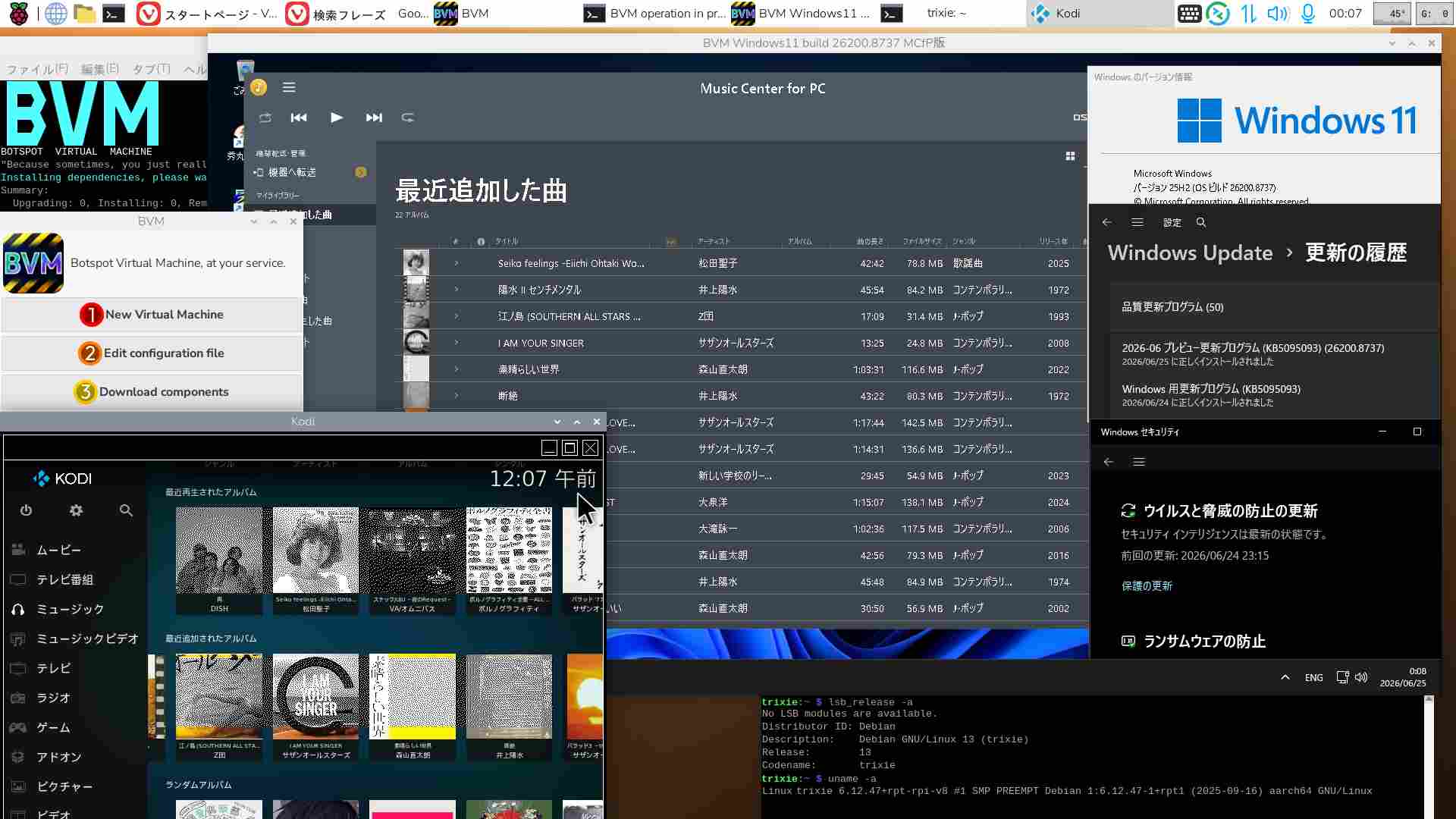
Windows Updateは時間がかかり過ぎる。1/5程度にならないものか。
仮想Windows11 26H1 build 28000.2605 2026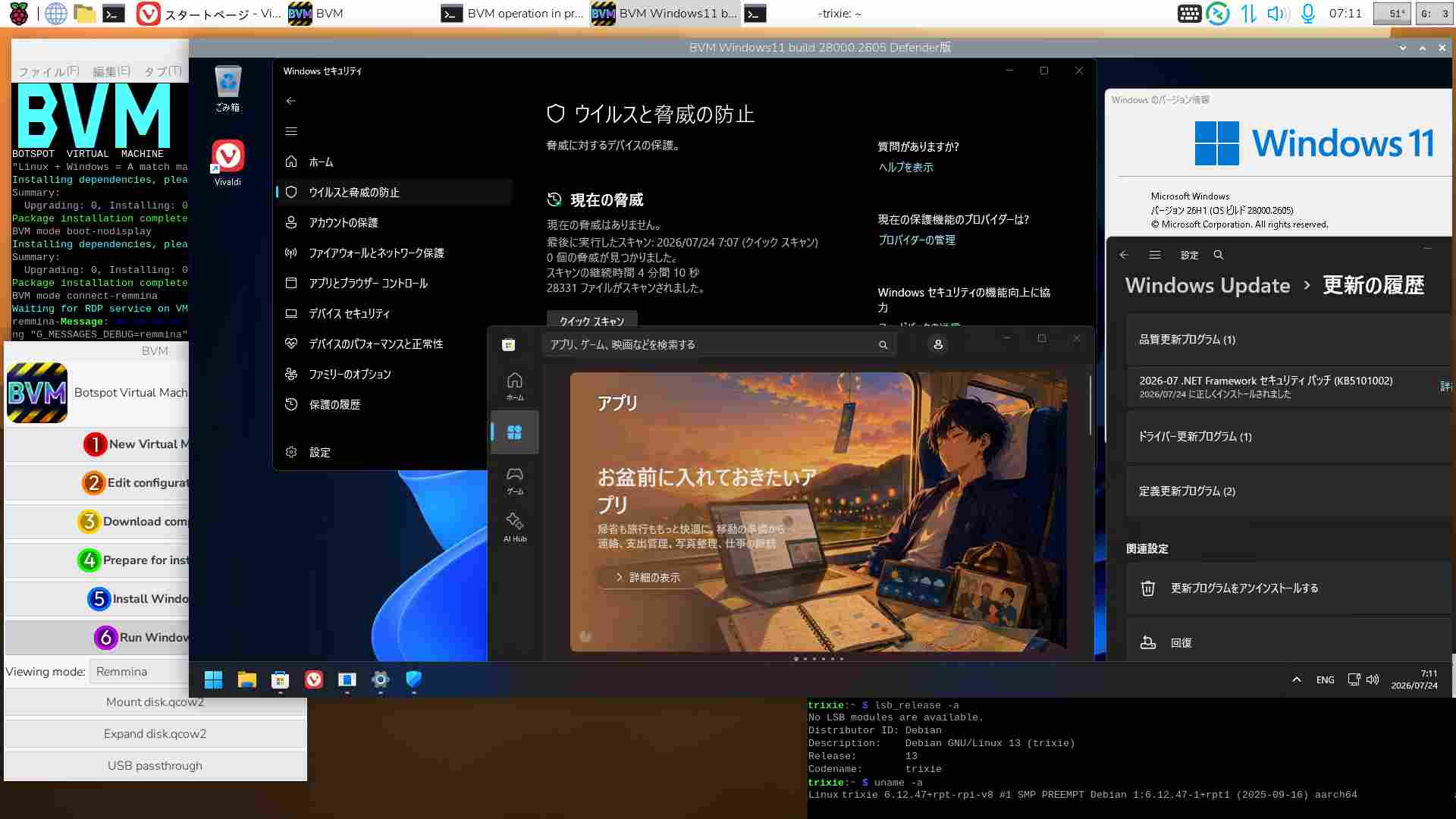
BVMでのWindows操作のうち、動画・動画編集作業は実用向きではない。TrixieでもWine環境は必要。
仮想Windows11 Dev 26H2 26300.8935Full機能Defender 2026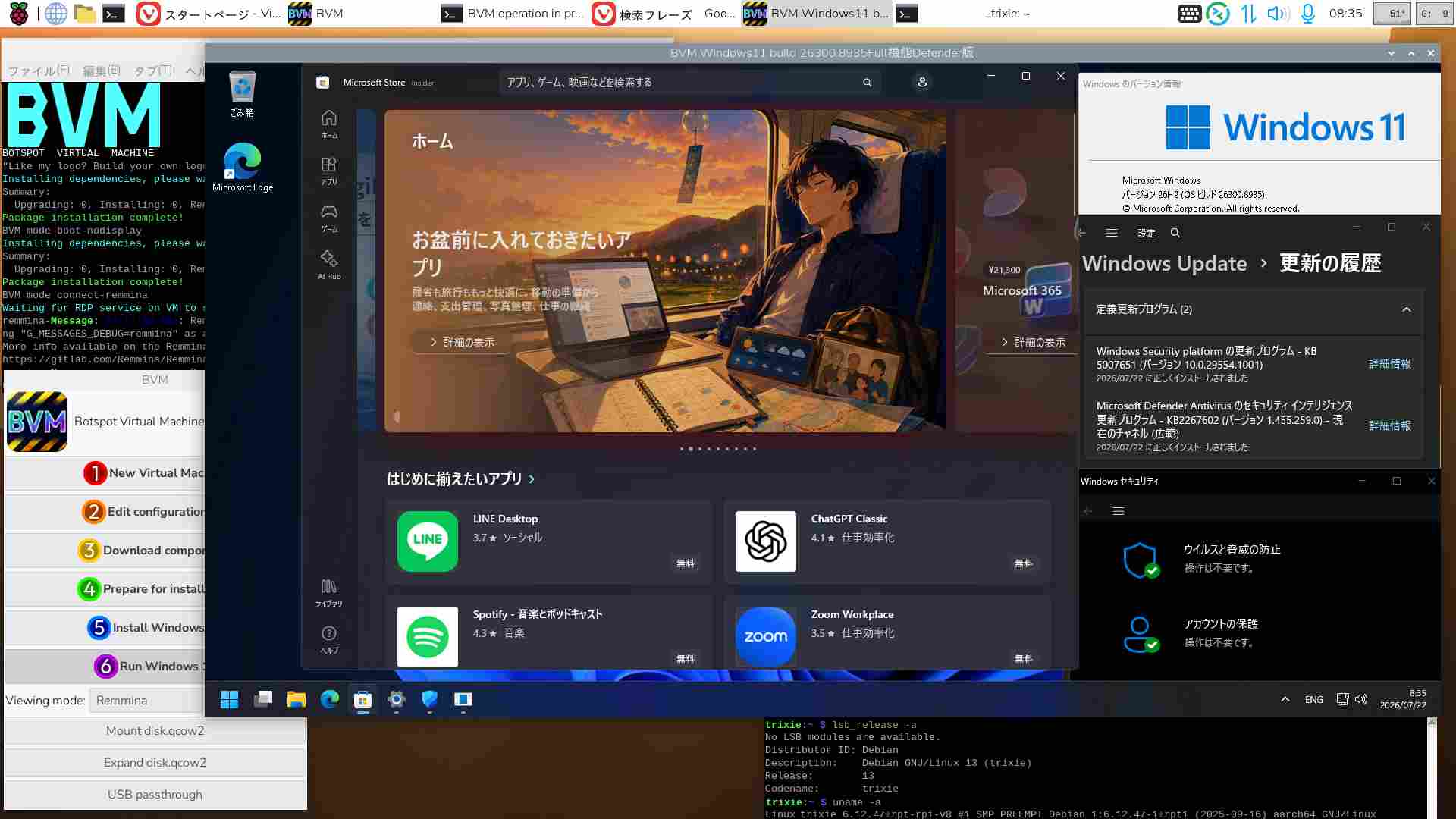
スポンサーサイト
amazon タイムセール amazon Raspberry pi 5 m.2 hat amazon 大谷翔平
仮想Windows11 build 29599.1000Full機能Defender 2026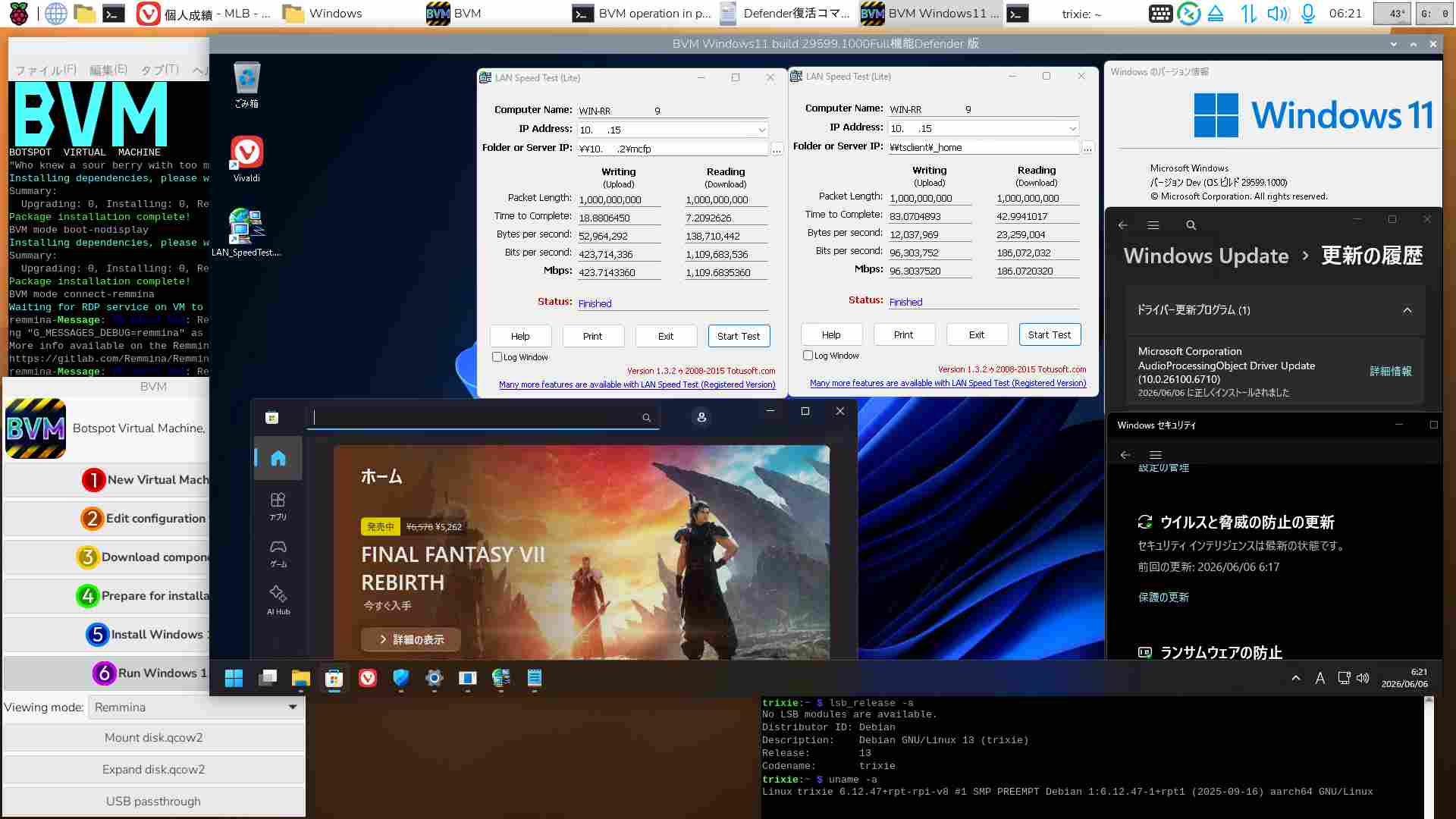
関連過去Log:PT2 x64 Ubuntu
2025.08.14からPT2はx64 Ubuntu機で利用。(aarch64ではPT2を認識させられなかった)
x64 Ubuntu 26.4 LTS+Docker (29.1.3)+mirakurun(3.9.0-rc.4) + EPGStation(v2.10.0)でテスト運用中
x64 Ubuntu 22.4 LTS+Docker (28.2.2)+mirakurun(3.9.0-rc.4) + EPGStation(v2.10.0)版Diskは一旦休止
x64 Ubuntu 26.04 LTS beta版をLegacy PC+NVMe SSD Bootで利用する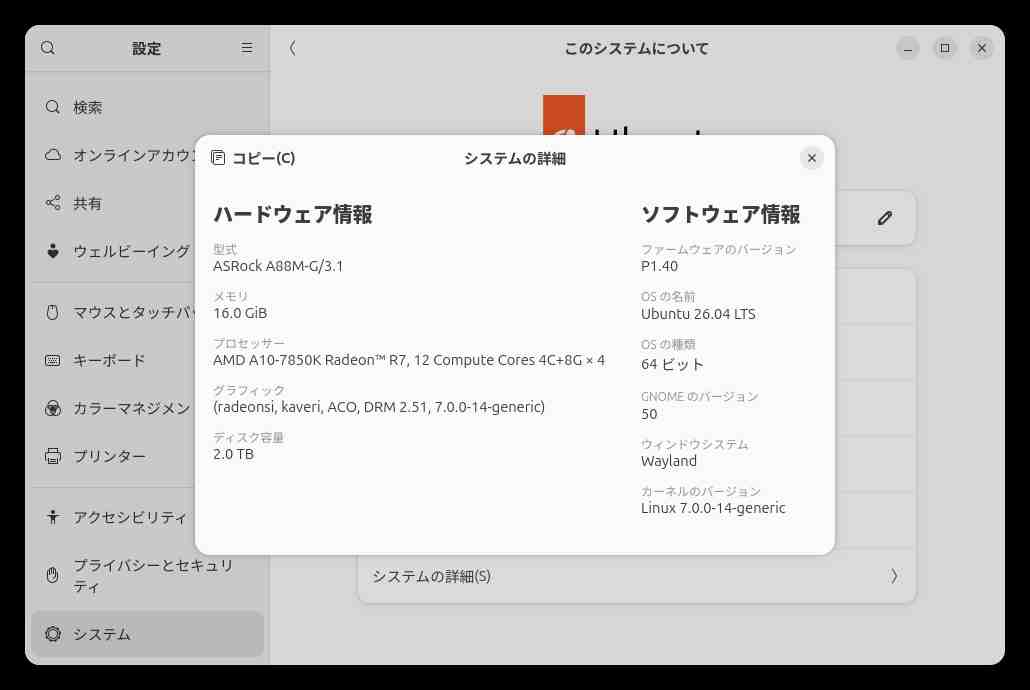
Legacy PCなので快適ではないが、NVMe SSDを利用すればUbuntuとはいえストレスは和らぐ。
Ubuntu 26.04 LTSをDesktop機として利用することはないので、【Lubuntu】【Xubuntu】は視野に入れていない。
メモリ【6GB】が最低要件などといってWindows系〇〇〇〇の記事が強調拡散されているが、現在のWindowsユーザーでさえ【4GB】にしがみついている訳ではなかろう。
この時期購入できないのは別として、【TPM2.0】と【6GB】を同一線上に見ている〇〇〇〇そのものが事実を歪めている・・・
関連過去Log:x64 Ubuntu関連
Linux 7.0.0-27-generic #27-Ubuntu SMP Jun 18 19:13:49 UTC 2026 (Ubuntu26.04.LTS版)
Linux 5.15.0-174-generic #184-Ubuntu SMP Fri Mar 13 18:41:50 (Ubuntu22.04.5LTS版)休止中
VMware x64 Windows11 canary 26H1 build 28020.1743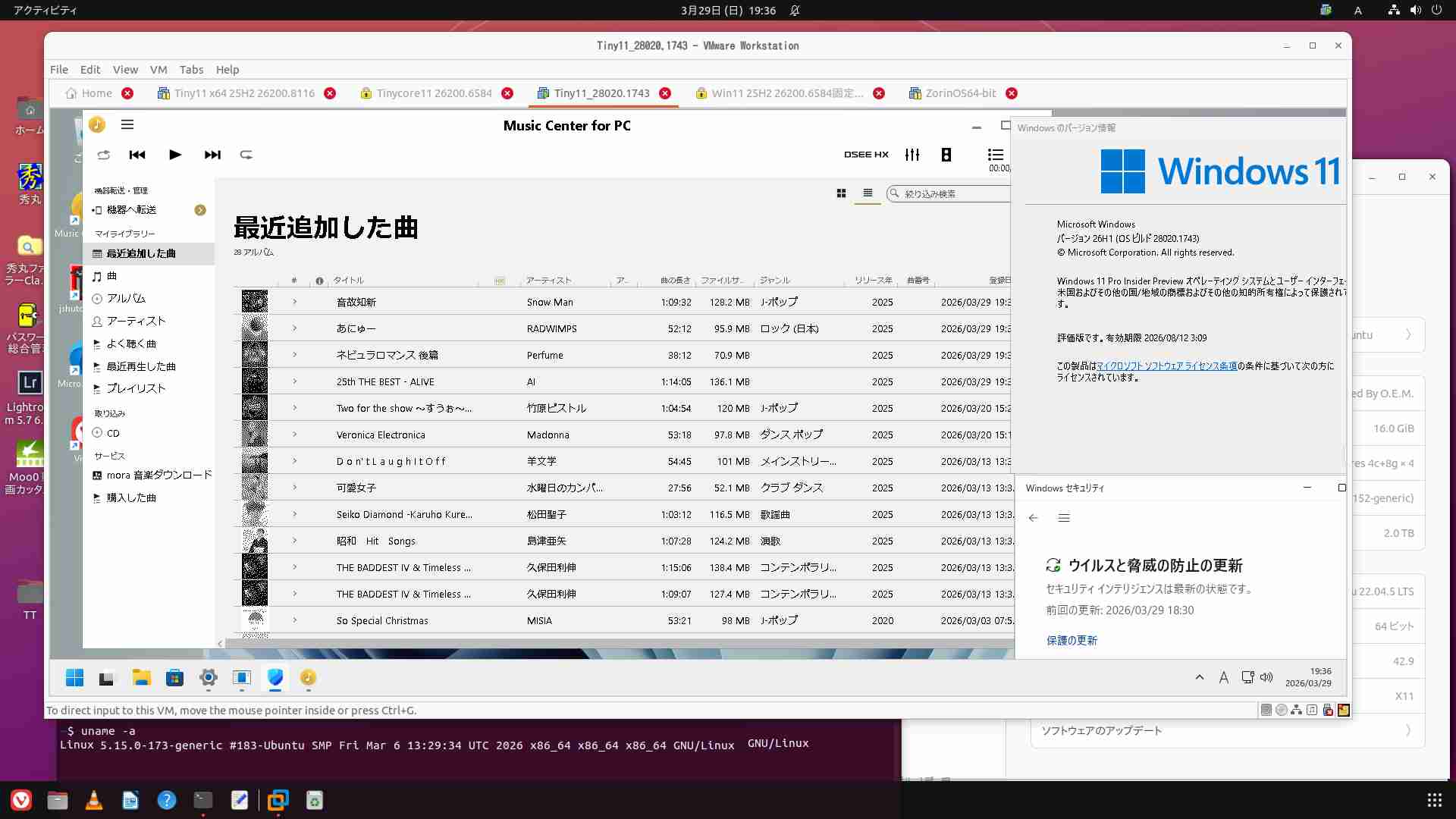
PT2は2025.08.14からx64 Ubuntuで利用開始
BVM aarch64版Windows11 25H2 build 26200.8116にて楽曲取得が出来るのなら、
x64版仮想を運用する必要がなくなった。どれか1本を残せば必要十分と考える
x64 仮想Windows11 25H2 build 26200.6584固定版☓削除
x64 仮想Windows11 canary 26H1 build 28020.1743運用停止
x64 仮想Tiny11 25H2 build 26200.8117試用中☓削除
x64 仮想TinyCore11 25H2 build 26200.6584版☓削除
x64 Ubuntu 26.04 LTSとKODI
メモ:物理PC Ubuntu26.04 LTSにPT2環境を仮設してみる
Tiny11builder September 2025 release 使ってみたよ!
まだ使えるPT2の再利用 x64 Ubuntu 22.04.5LTS
仮想Windows11 Canary版 build 27919.1000
Tiny11 builderとx64 Windows11 25H2
x64 Ubuntu機にVMware Workstation 17.6.3を導入
Ubuntu22.04LTSのClamTK6.15をUpgradeする
Tips:【Ubuntu Server 22.04 LTS】とWine8.0
Tips:【Ubuntu Server 22.04 LTS】CDリッピングとCDDB
Tips: Ubuntu 22.04 +PT3 時間指定による自動(復帰)起動:at+rtcwake
Tips:【Ubuntu Server 22.04 LTS】時間指定による自動復帰:rtcwake
Tips:【Ubuntu Server 22.04 LTS】Thunderbirdをアンインストールする
Tips:【Ubuntu Server 22.04】有線Lan接続「管理対象外」表示を修正する
Tips:Ubuntu22.04LTS CtrlとCapsLockキーの入替
Tips:Ubuntu22.04LTS テキストファイルを簡単にroot編集する
Tips:Ubuntu22.04LTS lvmの拡張をする
Tips:Ubuntu22.04LTSにClamTK6.14をインストールする
Tips:フォルダ共有 Ubuntu22.04 LTSとWindows11
Tips:新たなデスクトップを用意する Ubuntu Desktop 20.04.3 LTS
VM x64 Windows11 25H2 build 26200.8116:Update固定版26.03.29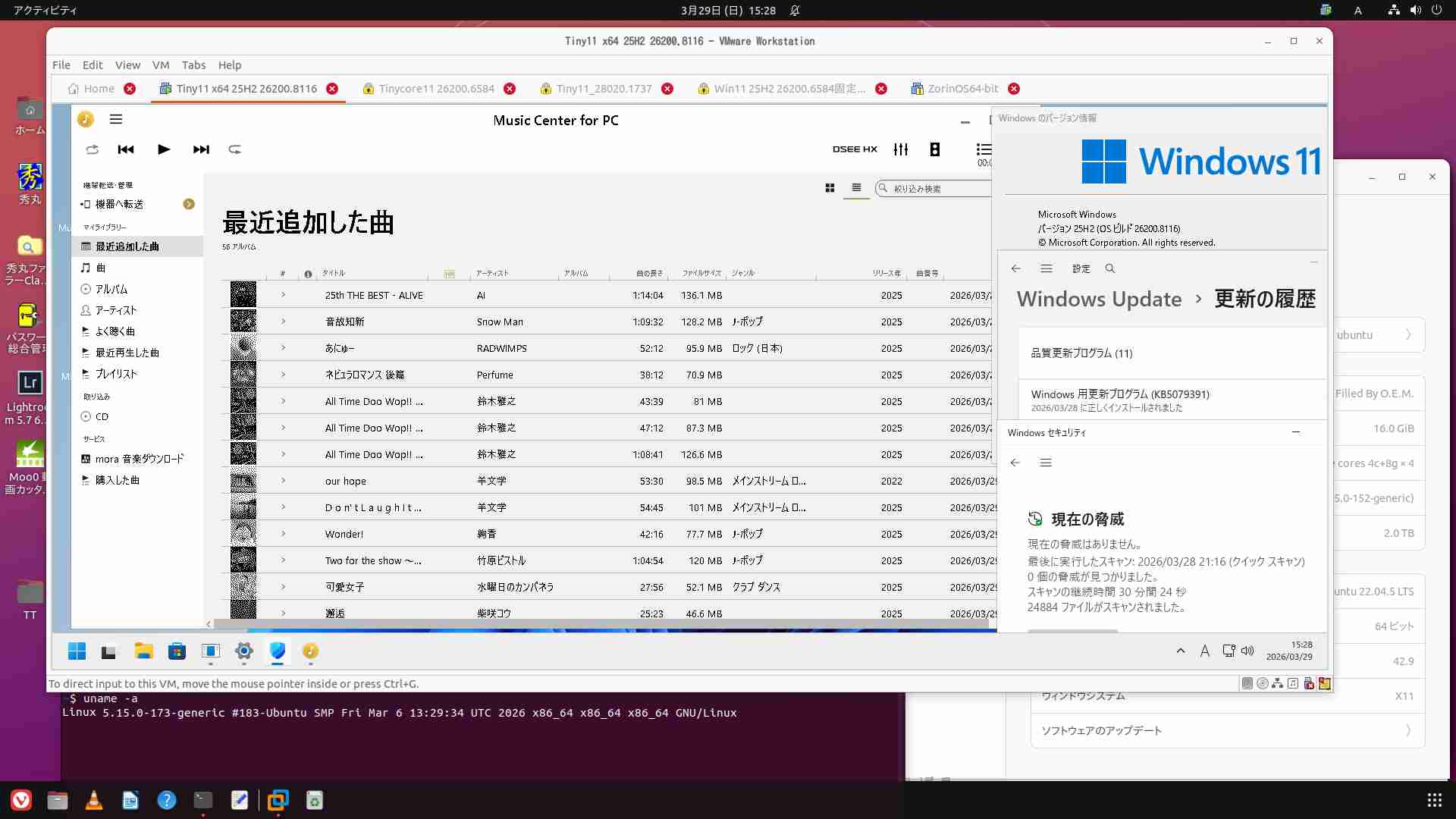
スポンサーサイト
amazon タイムセール amazon Raspberry pi 5 m.2 hat amazon 大谷翔平
320
320

関連記事
-

-
Raspberry pi 5でもMoo0 動画カッター 1.17を利用する
目次1 現在使用中のWine2 「x86_64」版Moo0 動画カッター 1.1 …
-
-
メモ:Tiny11builderを使ってみた
目次1 スクリプトによるISO作成2 Tiny11builderスクリプト実行 …
-
-
Ubuntu22.04LTSのClamTK6.15をUpgradeする
目次1 Ubuntu+PT3は不具合もない2 ClamTK ver6.15のUn …
-
-
Raspberry Pi 5:Doom3で遊ぶ
目次1 Pi-AppsからインストールしたDoom31.1 【doom3 gam …
-
-
Bookworm RaspberryPi5: CTRLキーとCaps Lockの入替
目次1 仕様の違いか過去の方法では変更できない2 【jp】設定ファイルの変更で対 …
-
-
Tips:Tiny11 b1をWUをオフにして使用する
目次1 Tiny11 b1にWUを掛けると碌でもない2 WU自動更新を止めよう2 …
-
-
Tips:Windows11 Defenderをコマンド操作する 22H2
目次1 Windows Update自動更新は無効とし、Defender は常に …
-
-
Tips:Ubuntu22.04LTS CtrlとCapsLockキーの入替
目次1 どうして【Ctrl】のキーの機能を変更しないのだろう2 Ubuntuでの …
-
-
Windows 11 Dev2210Eval版 開発環境を入手する
目次1 2023年1月10日まで無料の環境を試すぞ2 公式ダウンロードURL3 …
-
-
Raspi5版Ubuntu26.04LTS kernel Update
目次1 Ubuntu26.04LTS 【base-files】のUpdate2 …